SoundCloud Downloader
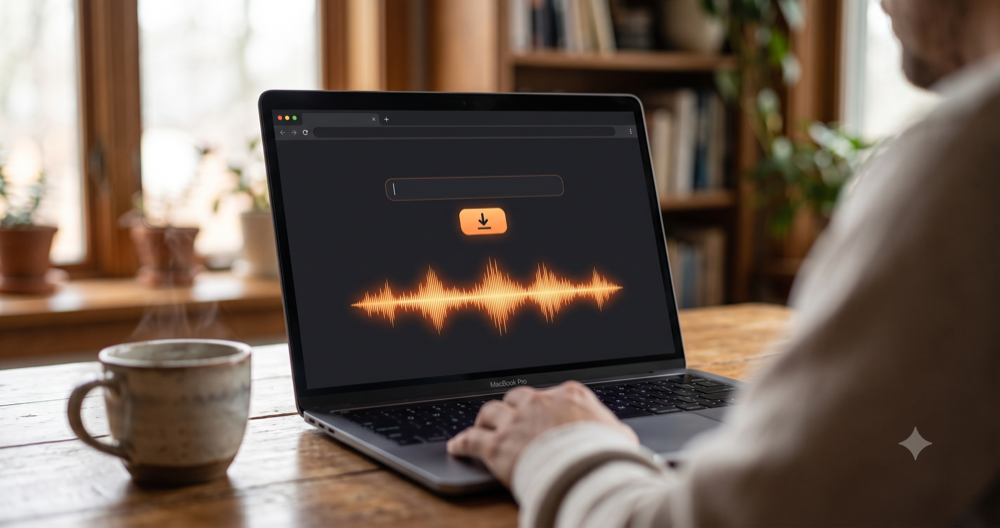
Convert any public SoundCloud track, DJ set or podcast into an MP3 file. Paste the link, press Download, and save the audio in seconds. No account and no software required.
The SoundCloud Downloader converts any public SoundCloud track, DJ set, remix or podcast episode into a downloadable MP3 file. Paste the track URL into the box above, press Download, and save the audio to your device in seconds. No account, no installed software, and no limit on how many tracks you convert.
- How to Use the SoundCloud Downloader Step by Step
- What SoundCloud Is and Why Downloading Works Differently
- Online Downloader Versus Desktop Versus Native Button
- Who Actually Uses a SoundCloud Downloader
- Pro Tips That Are Not Obvious
- Common Mistakes to Avoid
- Related Tools You May Need Next
- Frequently Asked Questions
How to Use the SoundCloud Downloader Step by Step
- Copy the track link. On the SoundCloud website, click the Share button under the waveform and copy the link from the Link to this track field. In the mobile app, tap the three-dot menu on the track, choose Share, then Copy Link.
- Paste it into the URL box. Drop the full address into the SoundCloud video URL field at the top of this page. A valid link looks like
https://soundcloud.com/artist-name/track-name. Shortenedon.soundcloud.comlinks also resolve correctly. - Press Download. The tool reads the public stream manifest and returns the available audio versions. This normally takes two to five seconds depending on track length.
- Pick your file. When several bitrates appear, the highest number gives the best sound. A 128 kbps file is the standard SoundCloud stream quality; anything higher means the artist enabled a high quality original.
- Save the MP3. Click the download button. If your browser opens the audio in a new tab instead of saving it, right click the button and choose Save link as to force a direct download.
- Rename before filing it away. Downloaded files often carry a numeric ID rather than the track title. Rename the file to Artist - Track Title.mp3 so your music player reads it properly.
What SoundCloud Is and Why Downloading Works Differently
SoundCloud was founded in 2007 in Stockholm by Alexander Ljung and Eric Wahlforss, and launched publicly in 2008 before the company moved its headquarters to Berlin. It was built as an audio distribution platform for musicians who wanted to share works in progress with collaborators, which is why the waveform comment system exists at all. Unlike Spotify or Apple Music, which license finished commercial catalogues, SoundCloud is dominated by material that creators upload themselves: unreleased demos, live DJ sets, bootleg remixes, freestyle verses, field recordings, lecture audio and independent podcasts.
That difference matters enormously for downloading. On a licensed streaming service there is no legitimate scenario in which a browser tool can extract the audio, because the catalogue is encrypted and contractually locked. On SoundCloud, public tracks are served over standard HTTP streaming, and the platform itself has always offered creators a native download toggle. When an artist switches that toggle on, listeners see a download button beneath the waveform and receive the original uploaded file. The problem is that the toggle is off by default, and a very large share of creators never think about it.
SoundCloud also became a serious podcast host along the way, offering RSS feed distribution that pushes episodes to Apple Podcasts and other directories. That is why a large number of the links people paste into this tool are spoken word rather than music. Podcast episodes tend to be long, often sixty to ninety minutes, so expect the conversion to take slightly longer and the resulting file to run somewhere between fifty and one hundred megabytes.
Online Downloader Versus Desktop Versus Native Button
| Method | Strengths | Weaknesses | Best for |
|---|---|---|---|
| This online tool | No install, works on any device, no account, no daily cap | Needs a connection, one track at a time, gives the transcoded stream | Grabbing a few tracks quickly on any device |
| Desktop software (yt-dlp, 4K Downloader) | Batch downloads whole playlists and profiles, scriptable | Command line knowledge helps, needs installing and updating, often blocked at work | Archiving hundreds of tracks at once |
| Native SoundCloud download button | Gives the exact source file, often WAV or 320 kbps, clearly permitted | Only appears when the creator enabled it, which is a minority | Master quality when the button is available |
| Screen or audio recording | Captures anything audible including private links you can access | Real time only, quality loss, level problems | Last resort when nothing else works |
Who Actually Uses a SoundCloud Downloader
Pro Tips That Are Not Obvious
Common Mistakes to Avoid
Related Tools You May Need Next
Audio work rarely stops at one file. The Mixcloud Downloader handles long form radio shows and DJ mixes, while the Bandcamp Downloader covers independent album releases. If your source is a video rather than a track, Video to MP3 strips the audio out directly.
Frequently Asked Questions
Is it legal to download SoundCloud tracks?
Downloading a track you have paid for, that is offered under a Creative Commons licence, or that you keep strictly for private personal listening is broadly tolerated in most jurisdictions. Redistributing it, uploading it elsewhere, selling it or using it commercially without permission is copyright infringement. The licence terms appear on the track page itself, so check them before you do anything beyond listening privately.
Why can I not download some SoundCloud tracks?
Three situations block a download. The track may be private or shared through a secret link, which is not a public stream. The track may be geo restricted so it is unavailable in your country. Or the artist may have removed it while the page remains cached. In each case no browser based tool can reach the audio.
What audio quality do downloaded SoundCloud files have?
Standard public streams sit at roughly 128 kbps MP3, which is what SoundCloud serves free listeners. If a creator enabled the native download option, that file is the original upload and can be a 320 kbps MP3 or a lossless WAV. A stream capture cannot exceed the quality of the stream it captured.
Can I download a whole SoundCloud playlist at once?
Not through this tool, which processes one track URL per conversion. Open the playlist, click into each track so the address bar shows a single track path, and run them in sequence. For entire playlists or profiles, desktop software such as yt-dlp handles bulk operations more efficiently.
Does downloading from SoundCloud require an account?
No. This tool does not ask you to register, log in or provide an email address, and it does not need access to your SoundCloud account. You only need the public URL of the track. Any service that demands your SoundCloud credentials should be treated with suspicion.
How do I download SoundCloud tracks on an iPhone?
Copy the track link from the SoundCloud app share menu, paste it into this page in Safari, and press Download. Safari saves the file into the Files app rather than Photos. Open Files, go to Downloads, and move the MP3 into a music player app that supports local files.
Why does my downloaded file have no artist name or artwork?
Stream captures rarely carry ID3 metadata, because the tags live in the original upload rather than the transcoded stream. You have to add artist, title and album art yourself. Doing it immediately after each download is far less painful than fixing a whole folder later.
Is there a limit on how many tracks I can convert?
There is no daily cap and no requirement to upgrade. Practical limits come from your connection speed and storage. If you are converting dozens of long DJ sets, watch disk space, because a single three hour set at standard stream quality occupies well over one hundred megabytes.