What Is My IP
See your public IP address, both IPv4 and IPv6 if available. No signup. Shows the public IP your connection presents, useful for setup, checks, and troubleshooting.
Share on Social Media:
This what is my IP tool shows your public IP address, directly in your browser, both IPv4 and IPv6 if available. Open it to see your IP. No account, no install, so you can check your public IP on any device in seconds.
How to See Your IP Address Step by Step
- Open the tool. Open the what is my IP tool, which detects and shows your public IP address.
- See your IP address. See your public IP address, the IP your internet connection presents to the internet.
- Check IPv4 and IPv6. See your IPv4 address, and your IPv6 address if available, since connections may have one or both.
- Note your IP. Note your IP address if you need it, such as for a setup, check, or troubleshooting purpose.
- Use the information. Use your IP address for your purpose, such as configuration, verification, or troubleshooting.
What Your Public IP Address Is
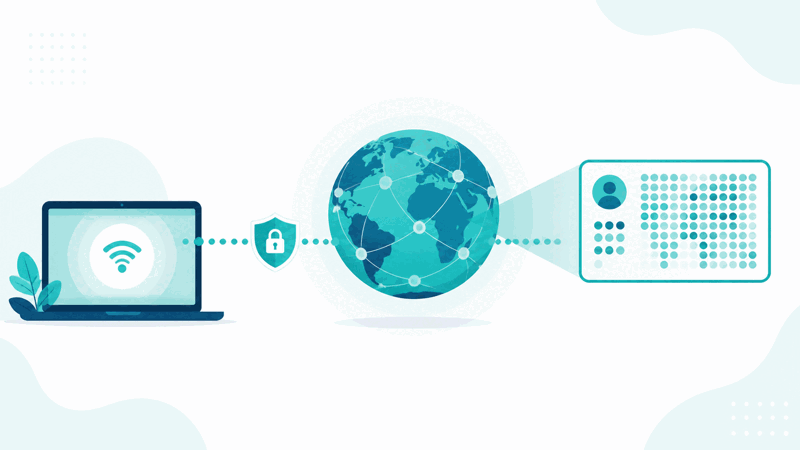
Your public IP address is the address your internet connection presents to the internet, identifying your connection to the wider network. It is how the internet knows where to send data back to you. A what is my IP tool detects and shows this public IP address, so you can easily see the IP your connection is using, which you might need for various purposes.
The value is easily seeing your own public IP. You might need your public IP for setup or configuration, to verify what IP your connection presents, for troubleshooting connectivity, or for other purposes where knowing your IP is useful. Rather than working it out another way, this tool simply shows your public IP, making it easy to find when you need it.
There are two versions of IP addresses: IPv4 and IPv6. IPv4 is the long established format, while IPv6 is a newer format introduced to provide many more addresses. A connection may have an IPv4 address, an IPv6 address, or both, so the tool shows your IPv4 and, if available, your IPv6 address, letting you see the relevant addresses your connection presents.
What is my IP tools are used by anyone who needs to know their public IP: for setup or configuration, verifying their IP, troubleshooting connectivity, or other purposes. Because knowing your own public IP is sometimes necessary and not always obvious, a tool that simply shows it, including IPv4 and IPv6 where available, is a handy way to find your IP address quickly when you need it.
IPv4 Versus IPv6
| Aspect | IPv4 | IPv6 |
|---|---|---|
| Format | Long established | Newer |
| Provides | The original address space | Many more addresses |
| Your connection | May have IPv4 | May have IPv6 |
| Tool shows | Your IPv4 | Your IPv6 if available |
Who Checks Their IP Address
Pro Tips for Your IP Address
Common IP Address Mistakes to Avoid
Related Tools You May Need Next
For related lookups, our IP Location tool checks approximate IP geolocation, the DNS Lookup checks DNS records, and the HTTP Headers Checker checks headers.
Frequently Asked Questions
How do I see my IP address?
Open the what is my IP tool, which detects and shows your public IP address, the IP your internet connection presents to the internet. See your public IP address, check your IPv4 address and your IPv6 address if available since connections may have one or both, note your IP if you need it, such as for a setup, check, or troubleshooting purpose, and use it for your purpose, such as configuration, verification, or troubleshooting. This simply shows you the public IP your connection is using, making it easy to find when you need it, rather than working it out another way. So the tool detects and displays your public IP address, including IPv4 and IPv6 where available, so you can quickly see the IP relevant for external setup, services, verification, or troubleshooting connectivity. Remember to be mindful when sharing your IP, providing it only where appropriate and to trusted parties for legitimate purposes.
What is my public IP address?
Your public IP address is the address your internet connection presents to the internet, identifying your connection to the wider network. It is how the internet knows where to send data back to you, serving as your connection's address on the internet. So your public IP is the externally visible address associated with your connection, distinct from any local network addresses your devices might have internally. A what is my IP tool detects and shows this public IP, so you can see the IP your connection is using. Your public IP is relevant for various purposes: it is the address external services see, the one you might need for setup or configuration involving your connection, and the one relevant for troubleshooting external connectivity. So your public IP address is your connection's identifier on the internet, which this tool shows you, letting you easily see the IP your connection presents. So it is the address that identifies your connection to the internet, useful to know for setup, verification, troubleshooting, and other purposes where your external IP is needed, and which the tool detects and displays for you, including IPv4 and IPv6 where available.
What is the difference between IPv4 and IPv6?
IPv4 and IPv6 are two versions of IP addresses. IPv4 is the long established format, which has been used for a long time and provides the original address space. IPv6 is a newer format, introduced to provide many more addresses than IPv4, addressing the limited number of addresses available under IPv4. So the key difference is that IPv4 is the older, established format with a more limited address space, while IPv6 is the newer format offering a vastly larger number of addresses. A connection may have an IPv4 address, an IPv6 address, or both, depending on the setup, so this tool shows your IPv4 address and your IPv6 address if available. Both serve the same fundamental purpose of identifying connections on the internet, but IPv6 was introduced to accommodate the growing need for addresses. So when checking your IP, you may see an IPv4 address, an IPv6 address, or both, and which is relevant can depend on your purpose. So the difference is essentially the format and address space, with IPv4 being the established version and IPv6 the newer one with many more addresses, and your connection may present either or both, which the tool shows you.
Why would I need my IP address?
You would need your IP address for various purposes where knowing the IP your connection presents is useful. Common reasons include setup or configuration, where something you are setting up needs your IP; verifying what public IP your connection presents, to confirm the address your connection is using; troubleshooting connectivity issues, where your IP is part of diagnosing a problem; or providing your IP to a service or setup that requires it. In these cases, knowing your public IP is necessary or helpful, and this tool makes it easy to find. So you might need your IP for configuration tasks, verification, troubleshooting, or providing to services, among other purposes. Rather than working out your public IP another way, the tool simply shows it, so you can find it quickly when a task requires it. So the need for your IP arises in various setup, verification, and troubleshooting contexts, and having an easy way to see your public IP, including IPv4 and IPv6 where available, is handy for those situations. So you check your IP whenever a purpose requires knowing the address your connection presents to the internet, which the tool provides simply and quickly.
Does my IP address stay the same?
Your public IP address may or may not stay the same, depending on your connection. Some connections have an IP that stays consistent, while others may have an IP that changes over time, depending on how the connection is set up and managed. So you should not always assume your public IP is permanently fixed; for some connections it may change. This means if you need your current public IP, it is best to check it when needed rather than assuming a previously noted IP is still current, since it may have changed. The what is my IP tool shows your current public IP at the time you check, so you can see the address your connection is presently using. So whether your IP stays the same depends on your specific connection: it might remain consistent, or it might change over time. So to be sure of your current IP, check it when you need it using the tool, which shows your public IP at that moment, rather than relying on an old value that may no longer be current if your connection's IP has changed since you last checked it.
Should I be careful sharing my IP?
Yes, you should be mindful when sharing your IP address, since it is connection information that relates to your connection on the internet. While your public IP is visible to services you connect to as part of normal internet use, you should be thoughtful about sharing it more broadly, providing it only where appropriate and to trusted parties for legitimate purposes. Sharing your IP carelessly, publicly, or with untrusted parties is unwise, as your IP is information about your connection. So when a legitimate purpose requires you to provide your IP, such as a setup or troubleshooting with a trusted party or service, doing so is fine, but you should avoid sharing it carelessly or with parties you do not trust. So be mindful and thoughtful about who you share your IP with and why, treating it as connection information to handle appropriately. So while checking and using your own IP for legitimate purposes is perfectly normal, exercise reasonable care about sharing it, providing it only where appropriate and to trusted parties for genuine purposes, rather than sharing it carelessly, so you handle your connection information responsibly.
What is the difference between my public and local IP?
Your public IP is the address your connection presents to the internet, the externally visible address that identifies your connection to the wider network, while a local IP is an address a device may have within a local network, used internally rather than on the wider internet. So your public IP is how the internet sees your connection, whereas a local IP is used within your own network for devices to communicate locally. This what is my IP tool shows your public IP, the one relevant for external purposes like setup involving your internet connection, services that see your connection, and external connectivity troubleshooting. A local IP, by contrast, is an internal address within a local network. So it is important not to confuse the two: for purposes involving how the internet sees your connection, your public IP is the relevant one, which this tool shows. So the difference is that your public IP is your connection's address on the internet, externally visible, while a local IP is an internal network address, and this tool provides your public IP, the address relevant for external setup, services, and troubleshooting, rather than an internal local network address that a device might use within your own network.
Is the what is my IP tool free?
Yes, it is completely free with no account and no usage limit. You can check your public IP as often as you like, at no cost. It runs in your browser on any device, so there is nothing to download or install, and it shows your public IP address, including IPv4 and IPv6 if available, when you open it. Use it to easily see the public IP your connection presents to the internet, useful for setup or configuration, verifying your IP, troubleshooting connectivity, or providing your IP where a service or task requires it. Remember that this shows your public IP, the one relevant for external purposes, which may differ from a local network address; that your public IP may change over time depending on your connection, so check it when you need the current one; and to be mindful when sharing your IP, providing it only where appropriate and to trusted parties for legitimate purposes.