Rewrite Article
Rewrite text and paragraphs in different words, as a starting point you review and refine. No signup. Always review rewritten text for accuracy, meaning, and quality.
Share on Social Media:
This article rewriter rewrites text and paragraphs in different words, directly in your browser, giving you a reworded version as a starting point. Paste your text and rewrite it. No account, no install, so you can reword content on any device in seconds, then review and refine the result.
How to Rewrite Text Step by Step
- Paste your text. Paste the text or paragraphs you want to rewrite, the content you want reworded in different words.
- Rewrite the text. The tool rewrites the text in different words, producing a reworded version of your content.
- Get the rewritten text. See the rewritten text, your content reworded, as a starting point for you to review.
- Review the result. Review the rewritten text carefully for accuracy, meaning, and quality, since rewrites need checking.
- Refine as needed. Refine the rewritten text as needed, correcting any issues, so the final result is accurate and reads well.
What an Article Rewriter Does
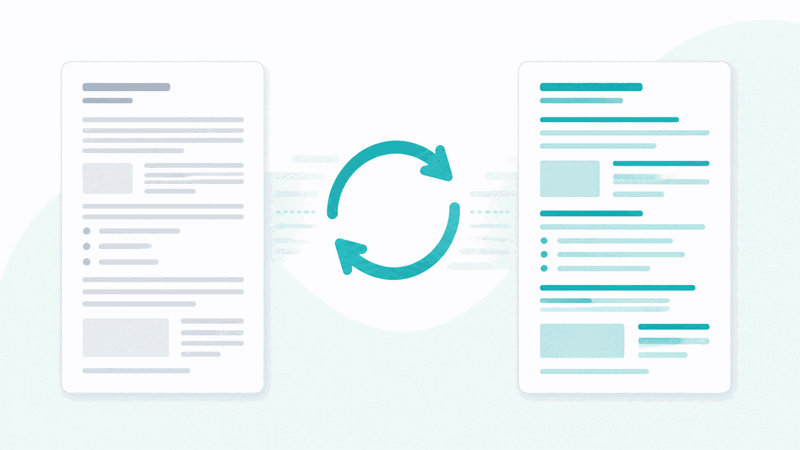
An article rewriter rewrites text or paragraphs in different words, producing a reworded version of your content. It takes your text and expresses it using different wording, giving you an alternative version. This can be a helpful starting point when you want to reword content, providing a reworded draft that you then review and refine, rather than rewording everything manually from scratch.
The value is a starting point for rewording. If you want to express content in different words, the rewriter provides a reworded version as a basis, saving some of the manual effort of rewording. However, the result is a starting point, not a finished product: you should review and refine it, since automated rewriting may affect accuracy, meaning, or quality, which you need to check and correct.
Rewritten text should be treated as a starting point, not a final result. Automated rewording can introduce issues, such as altered meaning, awkward phrasing, or inaccuracies, so the output needs careful review. So you use the rewriter to get a reworded draft quickly, then review it for accuracy, meaning, and quality, refining it into a good final version, rather than using the raw output as is.
Article rewriters are used by people who want to reword content and are willing to review and refine the result: getting a reworded starting point to then check and improve. Because rewording manually takes effort and a rewriter provides a quick reworded draft, it is a useful aid, as long as you always review the output carefully for accuracy, meaning, and quality, treating it as a starting point.
Rewritten Text as a Starting Point
| Aspect | Rewritten output | Note |
|---|---|---|
| Status | A starting point | Not a final result |
| May affect | Accuracy, meaning, quality | Needs checking |
| You should | Review and refine | Do not use raw |
| Best for | A reworded draft | To improve yourself |
Who Uses an Article Rewriter
Pro Tips for Rewriting Text
Important Things to Keep in Mind
Related Tools You May Need Next
For content, our Related Keywords Finder helps enrich text, the Case Converter changes case, and other tools help you work with text.

Frequently Asked Questions
How do I rewrite text?
Paste the text or paragraphs you want to rewrite, the content you want reworded in different words, and the tool rewrites the text in different words, producing a reworded version of your content. See the rewritten text, your content reworded, as a starting point for you to review, review the result carefully for accuracy, meaning, and quality since rewrites need checking, then refine it as needed, correcting any issues so the final result is accurate and reads well. This gives you a reworded draft as a starting point, saving some of the manual effort of rewording, which you then review and improve. So the rewriter provides a reworded version to work from, but you should always review the output carefully, checking it preserves the intended meaning, reads well, and is accurate, refining it into a good final version rather than using the raw rewritten text without checking and improving it, since automated rewriting produces a starting point that needs your review and refinement.
What does an article rewriter do?
An article rewriter rewrites text or paragraphs in different words, producing a reworded version of your content. It takes your text and expresses it using different wording, giving you an alternative version as a starting point. So it provides a reworded draft, which can be a helpful basis when you want to reword content, saving some of the manual effort of rewording everything from scratch. However, the result is a starting point, not a finished product: automated rewording may affect accuracy, meaning, or quality, so you should review and refine the output. So the rewriter produces a reworded version of your text for you to then check and improve, rather than a final, polished result. So an article rewriter helps you reword content by generating a reworded draft, which you use as a starting point and refine, always reviewing it carefully for accuracy, meaning, and quality, since automated rewriting can introduce issues that need your correction. So it does the initial rewording to give you a basis, with the review and refinement being your responsibility to produce a good final version.
Should I review the rewritten text?
Yes, you should always review the rewritten text carefully, because automated rewriting produces a starting point that may have issues with accuracy, meaning, or quality, which you need to check and correct. Rewording can introduce problems, such as altered meaning, awkward phrasing, or inaccuracies, so using the raw output without reviewing it risks errors or a changed meaning going unnoticed. So after rewriting, you should read through the result carefully, checking that it preserves your intended meaning, reads well, and is accurate, and refining any issues you find. This review is essential, since the rewritten text is a starting point rather than a finished, reliable product. So do not use the rewritten output as is; always review it for accuracy, meaning, and quality, correcting problems and improving the wording, so you produce a good, accurate final version. So reviewing the rewritten text is a necessary step: it lets you catch and fix the issues that automated rewording can introduce, turning the reworded draft into a polished, accurate result. So yes, careful review of the rewritten text is important every time, ensuring the final content is accurate, meaningful, and well written rather than potentially flawed raw output.
Why is rewritten text a starting point, not final?
Rewritten text is a starting point, not a final result, because automated rewording can introduce issues that need checking and correcting, so the raw output is not a polished, reliable product. When text is rewritten automatically, the process may alter the meaning, produce awkward or unnatural phrasing, or introduce inaccuracies, since rewording in different words can affect how well the content reads and whether it still says what was intended. So the output needs careful review and refinement to address these possible issues. This is why it should be treated as a starting point: it gives you a reworded draft to work from, saving some effort, but you then need to review it for accuracy, meaning, and quality, and refine it into a good final version. Using the raw output as final risks errors, changed meaning, or poor readability. So the rewritten text is a basis to improve, not a completed result, because automated rewriting is not guaranteed to preserve meaning perfectly or produce polished writing. So you use it as a starting point and refine it yourself, ensuring the final content is accurate, clear, and well written, rather than relying on the unrefined automated output as if it were a finished product.
Can rewriting change the meaning?
Yes, rewriting can change the meaning, which is one reason you should always review rewritten text carefully. When content is reworded in different words automatically, the process may inadvertently alter the meaning, making it say something slightly or significantly different from what was intended, or making it unclear. This is because expressing content in different words does not always perfectly preserve the original meaning, and automated rewording can introduce such shifts. So it is important to check that the rewritten text still conveys your intended meaning accurately, correcting any places where the meaning has changed or become unclear. If you assume the meaning is preserved without checking, a changed meaning could go unnoticed and end up in your final content. So reviewing for meaning is a key part of using a rewriter: after rewriting, verify that the reworded text says what you intended, and fix any deviations. So yes, rewriting can change the meaning, which is why treating the output as a starting point and carefully reviewing it for preserved meaning is essential, ensuring the final rewritten content accurately conveys what you meant rather than an unintentionally altered or unclear version produced by the automated rewording.
How do I make the rewritten text good?
You make the rewritten text good by treating the automated output as a starting point and carefully reviewing and refining it. After rewriting, review the result for accuracy, meaning, and quality: check that it preserves your intended meaning, correcting any places where the meaning changed; refine any awkward or unnatural phrasing so the text reads well; and ensure the overall quality and accuracy, fixing any errors or weak wording. By working through the output in this way, you improve the reworded draft into a polished, accurate, well written final version. So the key is not to accept the raw output as sufficient, but to actively refine it: correct meaning issues, improve phrasing, and ensure quality and readability. This turns the reworded starting point into good content. So making the rewritten text good is a matter of careful review and refinement on your part, addressing the accuracy, meaning, and quality issues that automated rewording can leave, so the final result reads naturally, conveys the intended meaning accurately, and is well written. So use the rewriter for the initial rewording, then invest effort in reviewing and refining the output to produce good, polished final content rather than relying on the unrefined automated rewrite.
Who should use an article rewriter?
An article rewriter is useful for people who want to reword content and are willing to review and refine the result, treating the output as a starting point rather than a finished product. This includes someone wanting to reword their own content, who uses the rewriter for a reworded draft and then reviews and improves it; a person wanting a different phrasing of their text, using the tool to see a reworded version as a basis; someone starting a rewrite, who uses it to save some manual effort before refining; or a person exploring alternative wording for their content. The common thread is that these users understand the rewritten output needs their careful review and refinement for accuracy, meaning, and quality. So an article rewriter suits those who want a quick reworded starting point and will invest the effort to check and improve it, rather than those expecting a finished, reliable result without review. So it is for people who want help with the initial rewording and are prepared to refine the output themselves, ensuring the final content is accurate and well written, using the tool as an aid to rewording that provides a draft to improve rather than a completed rewrite.
Is the article rewriter free?
Yes, it is completely free with no account and no usage limit. You can rewrite as much text as you like, as often as you like, at no cost. It runs in your browser on any device, so there is nothing to download or install, and your rewritten text appears when you rewrite your content. Use it to reword text and paragraphs in different words, getting a reworded version as a starting point that saves some of the manual effort of rewording. Remember that the output is a starting point, not a finished result: automated rewriting may affect accuracy, meaning, or quality, so always review the rewritten text carefully, checking it preserves your intended meaning, reads well, and is accurate, and refine it into a good final version. So use the rewriter for the initial rewording, then review and improve the result, rather than using the raw output without checking and refining it into polished, accurate content.