Sentence Counter
Count the number of sentences in your text instantly, plus words, average sentence length and characters, as you type. No signup, any device.
Result
Share on Social Media:
This sentence counter counts the sentences in your text as you type, along with words, average words per sentence and characters, directly in your browser. Paste or write your text and the counts update live. No account, no install, so you can count sentences on any device in seconds.
How to Count Sentences Step by Step
- Paste or type your text. Drop your text into the input box, or type directly. The sentence count begins updating from the first sentence you enter.
- Read the sentence count. The Sentences card shows how many sentences your text contains, updating live as you add or remove sentence-ending punctuation.
- Check words and average length. Alongside sentences you see the word count and the average words per sentence, so you can judge how long your sentences run.
- Edit and watch it update. Add a full stop to split a sentence, or remove one to join, and the counts change instantly to match.
- Use the counts as you write. Keep the tool open while drafting to keep an eye on sentence count and length, with no need to press a button.
What a Sentence Counter Counts and How
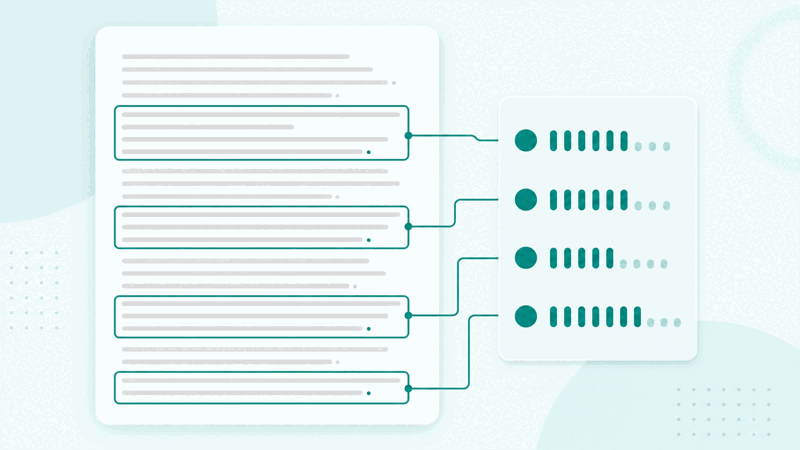
A sentence counter counts how many sentences a piece of text contains. It looks for sentence-ending punctuation, full stops, question marks and exclamation marks, and counts the sentences those marks close. This runs live in your browser, so the number updates as you type or paste.
Alongside the sentence count, the tool shows the word count and the average number of words per sentence. Average sentence length is the word count divided by the sentence count, a simple measure that hints at how dense or readable your writing is. A character count is included too.
Everything runs in your browser, so your text is never uploaded. The counts appear instantly and privately, with nothing leaving your device. The tool works the same on a phone, tablet or computer, with no account and no limit on how much text you can check.
Counting sentences is useful for controlling readability, meeting a structure requirement, or checking that writing is not made of overly long sentences. Seeing sentence count and average length live lets you shape your writing as you go, rather than analysing it by hand afterwards.
Sentences Versus Lines and Words
| Measure | How it is counted | What it shows |
|---|---|---|
| Sentences | Ends at . ! or ? | Number of statements |
| Words | Runs of non-space characters | Length of the text |
| Avg words/sentence | Words divided by sentences | Sentence length and density |
| Characters | Total length of the text | Overall size |
Who Uses a Sentence Counter
Pro Tips for Sentence Length
Common Sentence Counting Mistakes to Avoid
Related Tools You May Need Next
For more on your writing, our Word Counter gives full statistics, the Paragraph Counter counts paragraphs, and the Text Readability Score Calculator estimates reading level.
Frequently Asked Questions
How do I count sentences online?
Paste or type your text into the input box and the sentence count appears instantly on the Sentences card, updating live as you edit. The tool looks for sentence-ending punctuation, full stops, question marks and exclamation marks, and counts the sentences they close, so you never count by hand. It also shows words, average words per sentence and characters at the same time.
How are sentences counted?
Sentences are counted by their closing punctuation: full stops, question marks and exclamation marks. The tool counts the sentences those marks end. Because full stops also appear in abbreviations, initials and decimal numbers, the count is a close, practical estimate rather than a perfect grammatical analysis, but for ordinary text it matches what you would count by hand very closely.
What is average words per sentence?
Average words per sentence is your total word count divided by the number of sentences. It is a simple measure of how long your sentences run on average, which hints at readability: a high average often means dense, complex writing, while a very low one can feel choppy. Seeing it live helps you vary and control sentence length as you write.
Is my text uploaded anywhere?
No. The counting happens entirely in your browser, so your text is never sent to a server. This makes the tool fast and private: the sentence count appears the instant you type, and nothing you write leaves your device. You can paste sensitive or unpublished text and count its sentences knowing it stays on your own device.
Why is my sentence count slightly off?
Sentence counting relies on ending punctuation, so full stops in abbreviations, initials or decimals can nudge the number, and a sentence without ending punctuation may not be counted. For ordinary prose the count is very close to a hand count, but for text with many abbreviations or unusual punctuation, treat it as a practical estimate.
Can I count sentences on my phone?
Yes. The tool runs in your browser and works the same on a phone, tablet or computer, with no app to install. Paste or type your text and the sentence count appears instantly. Because everything runs on your device, it is just as fast and private on mobile as on a desktop, so you can count sentences anywhere you need to.
Is there a limit on how much text I can check?
No. You can paste or type as much text as you like and the counter measures all of it, updating the sentence count live. There is no account, no signup and no usage limit. Whether you are checking a short paragraph or a long document, the tool counts every sentence instantly, as often as you need, at no cost.
Is the sentence counter free?
Yes, it is completely free with no account and no limit. You can count sentences as often as you like, on any device, at no cost. The tool runs in your browser, so there is nothing to download or install, and the sentence, word, average length and character figures appear instantly as you type. Use it whenever you need to know how many sentences a text contains.