SERP Checker
Check where a page ranks for a keyword in search results. No signup. Rankings vary by location, personalisation, and time, so treat results as a guide, not fixed.
Share on Social Media:
This SERP checker shows where a page ranks for a keyword in search results, directly in your browser. Enter a keyword and page to check the position. No account, no install, so you can check keyword rankings on any device in seconds.
How to Check a SERP Position Step by Step
- Enter the keyword. Enter the keyword you want to check the ranking for, the search term of interest.
- Enter the page or site. Enter the page or site you want to check the position of for that keyword in the search results.
- Check the position. The tool checks where the page ranks for the keyword in the search results, finding its position.
- See the ranking. See the page's position for the keyword, indicating where it appears in the results at the time of checking.
- Treat it as a guide. Treat the result as a guide, since rankings vary by location, personalisation, and time, and are not fixed.
What a SERP Checker Shows and Why
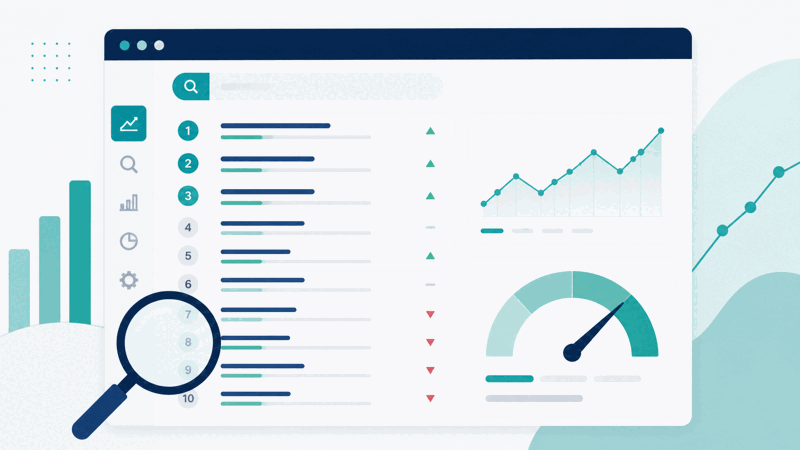
A SERP checker shows where a page ranks for a keyword in the search engine results pages, or SERPs. By checking a keyword and page, it finds the page's position in the results for that keyword, giving you a sense of how the page ranks. This helps you monitor and understand your keyword rankings, seeing where your pages appear for the search terms you care about.
The value is monitoring keyword rankings. Knowing where your pages rank for important keywords helps you understand your search visibility and track how it changes as you work on SEO. So a SERP checker is useful for keeping an eye on your rankings, seeing where you stand for keywords, and monitoring the effect of your efforts over time on where your pages appear.
It is important to understand that rankings vary by location, personalisation, and time. Search results can differ depending on where the search is done, personalisation for the searcher, and when it is checked, so a ranking is not a single fixed number. So a SERP checker gives a useful indication of position, but treat it as a guide reflecting the check's conditions, rather than an exact, fixed ranking that is the same for everyone always.
SERP checkers are used by SEO practitioners, site owners, and marketers monitoring keyword rankings: seeing where pages rank for keywords and tracking changes over time. Because knowing your rankings helps you understand and improve search visibility, a SERP checker is a valuable tool, as long as you understand rankings vary by location, personalisation, and time, treating results as a guide rather than fixed.
Why Rankings Vary
| Aspect | A SERP checker | Note |
|---|---|---|
| Shows | Page position for a keyword | At the time of checking |
| Varies by | Location, personalisation, time | Not a fixed number |
| Useful for | Monitoring rankings | Tracking over time |
| Treat as | A guide | Not exact and fixed |
Who Uses a SERP Checker

Pro Tips for Rank Checking
Important Things to Keep in Mind
Related Tools You May Need Next
For SEO, our Keyword Position Checker also tracks rankings, the Related Keywords Finder helps content, and the SEO Report highlights aspects to improve.

Frequently Asked Questions
How do I check a SERP position?
Enter the keyword you want to check the ranking for, the search term of interest, enter the page or site you want to check the position of for that keyword, and the tool checks where the page ranks for the keyword in the search results, finding its position. See the page's position for the keyword, indicating where it appears in the results at the time of checking, and treat the result as a guide, since rankings vary by location, personalisation, and time. This lets you see where a page ranks for a keyword, useful for monitoring your keyword rankings and tracking how they change as you work on SEO. So the SERP checker shows your position for a keyword as a helpful indication. Remember that rankings are not fixed: they vary by location, personalisation, and time, so treat a checked position as a guide reflecting the check's conditions, monitoring over time to see trends rather than treating a single check as an exact, fixed ranking.
What does a SERP checker show and why?
A SERP checker shows where a page ranks for a keyword in the search engine results pages, or SERPs, by checking a keyword and page and finding the page's position in the results for that keyword. This gives you a sense of how the page ranks for the search term, showing where it appears in the results at the time of checking. The purpose is to help you monitor and understand your keyword rankings: knowing where your pages rank for important keywords helps you understand your search visibility and track how it changes as you work on SEO. So a SERP checker is useful for keeping an eye on your rankings, seeing where you stand for keywords, and monitoring the effect of your efforts over time. However, rankings vary by location, personalisation, and time, so the checker gives a useful indication reflecting the check's conditions rather than a single fixed number. So it shows your keyword positions to help you monitor and improve your search visibility, treated as a guide that can vary, useful for tracking rankings and trends over time as part of your SEO work.
Why do rankings vary?
Rankings vary by location, personalisation, and time, so search results are not a single fixed order for everyone always. They vary by location because search results can differ depending on where the search is performed, reflecting regional relevance. They vary by personalisation because results can be tailored to the searcher, so different people may see somewhat different results. And they vary by time because search results change as pages, content, and rankings shift over time, so a position checked now may differ from one checked later. So a page's ranking for a keyword is not a single universal number but depends on these factors. This is why a SERP checker gives a useful indication reflecting the conditions of the check rather than an exact, fixed ranking. Understanding that rankings vary for these reasons helps you interpret checked positions sensibly, expecting some variation and looking at trends over time rather than treating a single check as a fixed, universal result. So rankings vary because search results depend on location, personalisation, and time, meaning a checked position is a guide reflecting those conditions rather than a single consistent number that is the same everywhere and always.
Is a checked ranking exact and fixed?
No, a checked ranking is not exact and fixed; it is a guide that reflects the conditions of the check, because rankings vary by location, personalisation, and time. A position you check reflects the results at that time and under those conditions, but the same keyword and page might show a different position from another location, for a different personalised searcher, or at another time. So you should not treat a checked ranking as a single fixed number that is the same for everyone always. Instead, treat it as a useful indication of where the page ranks, reflecting the check's circumstances, understanding it can vary. This is important for interpreting rankings sensibly: rather than fixating on an exact position as if it were constant, look at rankings as a guide and monitor them over time to see trends, which is more meaningful than a single check treated as fixed. So a checked ranking gives a helpful sense of position but is not exact and fixed, varying with location, personalisation, and time, so use it as a guide and track it over time rather than assuming it is a constant, universal number that will not change.
How should I use ranking data?
You should use ranking data as a guide to monitor your keyword positions and track how they change over time, rather than as fixed, exact numbers. Since rankings vary by location, personalisation, and time, individual checks reflect the conditions at the time, so the most useful approach is to monitor rankings over time, focusing on trends and changes, especially as you work on SEO. Track the keywords that matter most for your site, checking their positions periodically to see how your visibility for those terms develops. Use this alongside your SEO efforts, observing how rankings change as you improve your site, to gauge the effect of your work. Avoid over reacting to small fluctuations, which may be normal variation, and instead look at the bigger trend over time. So use ranking data to keep an eye on your search visibility for important keywords, tracking trends and the impact of your SEO, treating positions as guides that vary rather than fixed results. So the value is in monitoring over time and understanding trends, using rankings as one helpful measure of your search visibility that informs and reflects your ongoing SEO efforts, rather than as exact, unchanging numbers to fixate on from a single check.
Should I worry about small ranking changes?
No, you generally should not worry about small ranking changes, because rankings naturally vary by location, personalisation, and time, so small changes in a checked position may reflect normal variation rather than a real, meaningful shift. Over reacting to every minor fluctuation is unhelpful, since some movement is expected given how rankings vary. Instead, you should look at rankings over time and focus on the bigger trend, which is more meaningful than individual small changes. A consistent trend in one direction over time is more significant than a small change between two checks, which might just be normal variation. So rather than worrying about minor fluctuations, monitor your rankings over time and pay attention to the overall pattern and larger movements, which better reflect real changes in your visibility. So small ranking changes are often just normal variation and not cause for concern; focus instead on trends over time, which give a truer picture of how your rankings and search visibility are developing, especially in relation to your SEO efforts, rather than reacting to every small fluctuation in a checked position that may simply reflect the natural variation in search results.
What is a SERP?
A SERP is a search engine results page, the page of results a search engine shows in response to a search query. When someone searches for a keyword, the search engine returns a results page listing pages it considers relevant, in an order reflecting their ranking for that query. So the SERP is where pages appear for a given search, and a page's position on it, how high up it appears, is its ranking for that keyword. A SERP checker checks where a page appears on the SERP for a keyword, that is, its position in the results, giving you its ranking. So understanding the SERP is central to rank checking: it is the results page where your pages appear for keywords, and their positions on it are what a SERP checker measures. So the SERP is the search results page, and where your page ranks on it for a keyword indicates your search visibility for that term. So a SERP checker helps you see your pages' positions on the search results pages for the keywords you care about, letting you monitor where you appear in search results, keeping in mind that these positions vary by location, personalisation, and time and so should be treated as a guide.
Is the SERP checker free?
Yes, it is completely free with no account and no usage limit. You can check keyword positions as often as you like, at no cost. It runs in your browser on any device, so there is nothing to download or install, and you see where a page ranks for a keyword when you check it. Use it to monitor your keyword rankings, seeing where your pages appear in search results for the terms you care about, and tracking how your rankings change over time as you work on SEO. Remember that rankings vary by location, personalisation, and time, so treat a checked position as a guide reflecting the check's conditions rather than an exact, fixed number, monitor rankings over time to see trends, focus on the bigger picture rather than over reacting to small fluctuations, and use ranking data as one helpful measure of your search visibility within your broader SEO efforts.