Unlock PDF
Remove the password or restrictions from a PDF you own or are authorized to access. No signup. Only unlock PDFs you have the right to; respect ownership and permissions.
Share on Social Media:
This unlock PDF tool removes the password or restrictions from a PDF, directly in your browser, for PDFs you own or are authorized to unlock. Provide the PDF and unlock it. No account, no install, so you can remove protection from your own PDFs on any device in seconds. Only unlock PDFs you have the right to access.
How to Unlock a PDF Step by Step
- Provide the PDF you have the right to unlock. Upload the PDF you want to unlock, which must be one you own or are authorized to access and unlock.
- Provide the password if required. If the PDF requires a password to open, provide the password you legitimately have, so the tool can access and unlock it.
- Unlock the PDF. The tool removes the password or restrictions from the PDF, producing an unlocked version you can use freely.
- Check the unlocked PDF. Confirm the PDF is unlocked, with the password or restrictions removed, so you can open or use it without them.
- Use the unlocked PDF. Use the unlocked PDF as needed, now free of the password or restrictions, having unlocked a document you have the right to.
What Unlocking a PDF Means
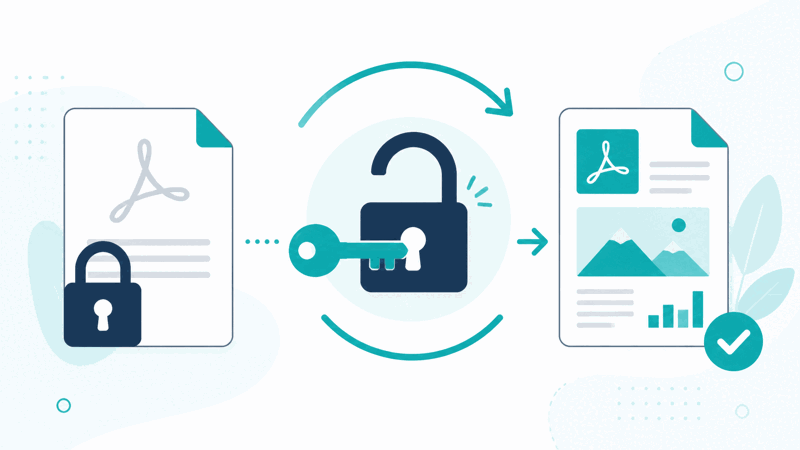
A PDF can be protected in two main ways: with a password required to open it, or with restrictions that limit what you can do, such as printing or copying, even if you can open it. Unlocking a PDF means removing this protection, the password or restrictions, so you can open and use the document freely. This tool does this for PDFs you own or are authorized to unlock.
It is essential to only unlock PDFs you have the right to. This tool is for removing protection from your own PDFs, or PDFs you are authorized to access and unlock, such as documents you created, own, or have legitimate permission to unlock, and for which you have any required password. Unlocking a PDF you do not have the right to access, or bypassing protection without authorization, is not an appropriate use and may be wrong.
There are two kinds of unlocking. Password removal removes a password required to open the PDF, so you no longer need to enter it, which requires you to have the password legitimately. Restriction removal removes limits on actions like printing or copying, on a PDF you can already open. Both are legitimate when done on your own or authorized PDFs, letting you use your documents without the protection.
Unlocking PDFs is used by people who have protected PDFs they own or are authorized to unlock: removing a password from your own document you no longer want protected, or removing restrictions from a PDF you have the right to use freely. So it serves legitimate needs to remove protection from documents you have the right to, letting you use your own PDFs without the password or restrictions.
Password Removal Versus Restriction Removal
| Aspect | Password removal | Restriction removal |
|---|---|---|
| Removes | Password to open | Limits on printing, copying |
| Requires | Having the password legitimately | Being able to open the PDF |
| Result | Opens without password | Use without restrictions |
| Only for | Your own or authorized PDFs | Your own or authorized PDFs |
Who Unlocks PDFs
Pro Tips for Unlocking PDFs
Important Things to Keep in Mind
Related Tools You May Need Next
Once unlocked, our Organize PDF arranges pages, the Split PDF tool divides a PDF, the Watermark PDF tool marks documents, and other PDF tools help.
Frequently Asked Questions
How do I unlock a PDF?
Provide the PDF you want to unlock, which must be one you own or are authorized to access and unlock, and if it requires a password to open, provide the password you legitimately have. The tool removes the password or restrictions from the PDF, producing an unlocked version you can use freely. Confirm the PDF is unlocked, with the protection removed, then use it as needed, now free of the password or restrictions. Importantly, only unlock PDFs you have the right to access, respecting ownership and permissions. So the tool lets you remove protection from your own or authorized documents, for which you have any required password, letting you use them without the password or restrictions you no longer need.
What does unlocking a PDF mean?
A PDF can be protected in two main ways: with a password required to open it, or with restrictions that limit what you can do, such as printing or copying, even if you can open it. Unlocking a PDF means removing this protection, the password or restrictions, so you can open and use the document freely. So unlocking removes the password so you no longer need to enter it, or removes restrictions so you can perform actions that were limited, or both. This is done for PDFs you own or are authorized to unlock, and for password protected PDFs, requires the password you legitimately have. So unlocking frees a document you have the right to from its protection, letting you use it without the password or restrictions, on documents you have the legitimate right to access and unlock.
What is the difference between removing a password and removing restrictions?
There are two kinds of PDF protection and unlocking. A password to open means you must enter a password to open the PDF at all; password removal removes this, so you no longer need the password to open it, which requires you to have the password legitimately in the first place. Restrictions are limits on what you can do with a PDF you can already open, such as restrictions on printing or copying; restriction removal removes these limits, letting you use the document fully. So password removal is about opening the PDF without needing the password, while restriction removal is about using an openable PDF without its action limits. Both are legitimate when done on your own or authorized PDFs, and both let you use your document more freely, but they address different kinds of protection.
Can I unlock any PDF?
No, you should only unlock PDFs you own or are authorized to unlock, with any required password. This tool is for removing protection from your own documents, or PDFs you have legitimate permission and the right to access and unlock. Unlocking a PDF you do not have the right to access, or bypassing protection without authorization, is not an appropriate use and may be wrong. So you cannot and should not unlock just any PDF; you should only unlock documents you have the legitimate right to, respecting the ownership and permissions others have set. For a password protected PDF, this also means having the password you legitimately hold. So the tool is for your own or authorized PDFs, and you must respect ownership and permissions, only removing protection from documents you have the right to unlock.
Do I need the password to unlock a PDF?
To unlock a password protected PDF, one that requires a password to open, you need to provide the password you legitimately have, so the tool can access and unlock it. So for password removal, you must have the correct password, which you should have because you own the PDF or are authorized to access it. If a PDF only has restrictions but can be opened without a password, you can open it and remove the restrictions on a document you have the right to. So whether you need a password depends on the protection: opening a password protected PDF requires the password you legitimately have, while a PDF you can already open may have restrictions you remove. In all cases, you should only unlock PDFs you have the right to, having any required password legitimately.
Should I keep the original protected PDF?
Yes, it can be wise to keep a copy of the original protected PDF, in case the protection might be needed again. If you unlock a PDF and discard the protected original, you lose the protected version, which you might want later, for instance if the protection served a purpose like confidentiality. So consider keeping a copy of the original protected document, so you retain both the protected and unlocked versions, using the unlocked one for your current need while keeping the protected original available if required. Also consider why the PDF was protected before removing the protection, even for your own documents, so you do not inadvertently remove protection that was serving an important purpose. So keeping the original protected PDF gives you flexibility, letting you use the unlocked version while retaining the protected one.
Is it okay to unlock a PDF I received?
You should only unlock a PDF you received if you are authorized to do so, with any required password, and have the legitimate right to remove its protection. If someone protected a PDF and shared it with you, the protection may have been intended, so removing it without authorization would not be appropriate. So consider whether you have the right and permission to unlock it: if it is a document you are authorized to use freely and unlock, and you have any required password legitimately, then removing protection you are permitted to remove is fine. But you should respect the ownership and intentions of whoever protected the PDF, and not bypass protection you are not authorized to remove. So only unlock a received PDF if you genuinely have the right and authorization to do so, respecting the permissions set by its owner.
Is the unlock PDF tool free?
Yes, it is completely free with no account and no usage limit. You can unlock as many PDFs as you like, as often as you like, at no cost, provided they are PDFs you own or are authorized to unlock. It runs in your browser on any device, so there is nothing to download or install, and your unlocked PDF is ready once the protection is removed. Use it to remove a password or restrictions from your own documents, or ones you have the legitimate right and any required password to unlock, letting you use them freely. Remember to only unlock PDFs you have the right to access, respecting ownership and permissions, and consider keeping the protected original if it may be needed.