IP Address Location
See the approximate geographic location associated with an IP address. No signup. Location is approximate, often only region or city level, not an exact address.
Share on Social Media:
This IP location tool shows the approximate geographic location associated with an IP address, directly in your browser. Enter an IP to look up its location. No account, no install, so you can check IP geolocation on any device in seconds.
How to Look Up an IP Location Step by Step
- Enter the IP address. Enter the IP address you want to look up, the IP whose approximate location you want to find.
- Look up the location. The tool looks up the approximate geographic location associated with the IP address.
- See the approximate location. See the approximate location, typically at a region or city level, associated with the IP address.
- Note it is approximate. Note that the location is approximate, indicating a general area rather than an exact address.
- Use the information. Use the approximate location information for your purpose, understanding its approximate nature and limits.
What IP Geolocation Is and Its Limits
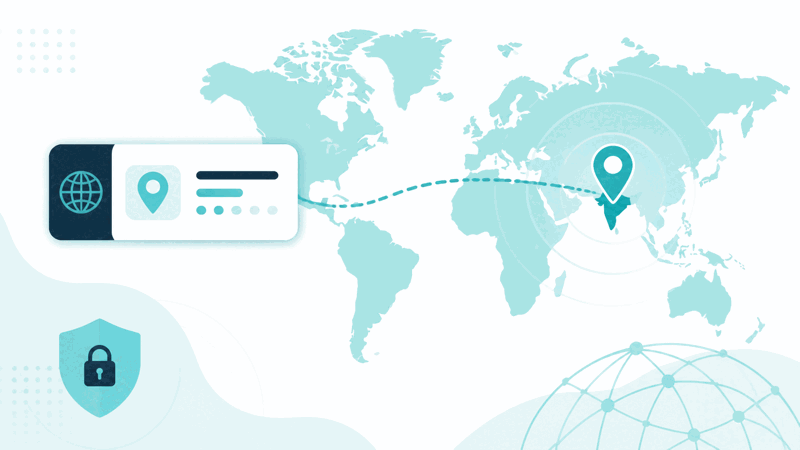
IP geolocation is the process of estimating the approximate geographic location associated with an IP address. Every device connected to the internet has an IP address, and these can often be associated with a general geographic area, such as a region or city. An IP location tool looks up this approximate location for an IP address you enter, giving a general sense of where the IP is associated with.
It is important to understand that IP geolocation is approximate. It typically indicates a general area, such as a region or city, rather than an exact address, and can sometimes be inaccurate or reflect the location of a network or provider rather than the precise user. So IP location gives a rough, approximate sense of geographic area, not a precise or guaranteed exact location of a specific person.
Approximate location differs from an exact one in precision and certainty. IP geolocation gives a general area, often region or city level, which is useful for a rough sense of location, but it is not an exact address and is not always accurate. So you should treat IP location as an approximate indication, useful for general purposes, rather than a precise or definitive pinpointing of a specific location or person.
IP location lookup is used for general purposes like understanding the approximate region associated with an IP, for basic analytics, content, or general context: seeing roughly where traffic or an IP is associated with. Because it gives an approximate area, it is useful for general geographic context, as long as you understand its approximate, sometimes inaccurate nature and do not treat it as an exact or certain location.
Approximate Versus Exact Location
| Aspect | IP geolocation | Note |
|---|---|---|
| Precision | Approximate, region or city | Not an exact address |
| Accuracy | Not always accurate | Can be off |
| May reflect | Network or provider | Not always the exact user |
| Good for | General context | Not precise pinpointing |
Who Uses IP Location Lookup
Pro Tips for IP Location
Important Things to Keep in Mind
Related Tools You May Need Next
For related lookups, our DNS Lookup checks DNS records, the Hosting Checker finds who hosts a site, and other tools help you look up network information.
Frequently Asked Questions
How do I look up an IP location?
Enter the IP address you want to look up, the IP whose approximate location you want to find, and the tool looks up the approximate geographic location associated with the IP address. See the approximate location, typically at a region or city level, associated with the IP, note that the location is approximate, indicating a general area rather than an exact address, and use the information for your purpose, understanding its approximate nature and limits. This gives you a rough sense of the geographic area associated with an IP, useful for general context. Remember that IP geolocation is approximate, can be inaccurate, and may reflect a network or provider rather than a precise user, so treat it as a general indication rather than an exact or certain location, and use it responsibly with respect for privacy.
What is IP geolocation and what are its limits?
IP geolocation is the process of estimating the approximate geographic location associated with an IP address. Every device connected to the internet has an IP address, and these can often be associated with a general geographic area, such as a region or city, which an IP location tool looks up. However, IP geolocation has important limits: it is approximate, typically indicating a general area rather than an exact address, and can sometimes be inaccurate or reflect the location of a network or provider rather than the precise user. So it gives a rough sense of geographic area, not a precise or guaranteed exact location of a specific person. So its main limit is that it is approximate and not always accurate, providing general geographic context rather than precise pinpointing. So you should understand IP geolocation as giving an approximate area associated with an IP, useful for general purposes, while recognising it is not exact, can be off, and should not be treated as a definitive or precise location, using it responsibly with these limits in mind.
How accurate is IP location?
IP location is approximate and not always accurate. It typically indicates a general area, such as a region or city, rather than an exact address, and can sometimes be inaccurate or reflect the location of a network or provider rather than the precise user. So its accuracy is limited to giving a general sense of geographic area, which may be roughly right but is not precise or guaranteed. The accuracy can vary, and the result may be off or reflect a broader area than the exact user's location. So you should treat IP location as an approximate estimate, useful for general context but not for precise or certain positioning. It is not accurate enough to pinpoint a specific exact location or person reliably, and expecting such precision would misunderstand its nature. So while IP location gives a useful rough indication of the general area associated with an IP, its accuracy is limited to that general level, and you should not rely on it as an exactly accurate or definitive location, understanding it may sometimes be inaccurate or general rather than precisely correct.
What is the difference between approximate and exact location?
The difference between approximate and exact location is precision and certainty. IP geolocation gives an approximate location, a general area such as a region or city, which offers a rough sense of where an IP is associated with, but it is not an exact address and is not always accurate. An exact location would pinpoint a precise place, which IP geolocation does not provide. So IP location is approximate: useful for a general indication of area, but not for precise pinpointing. This distinction matters because you should not treat the approximate location IP geolocation gives as if it were exact. It indicates a general area, which may be roughly correct, rather than a specific precise position. So use IP location for approximate geographic context, understanding it gives a general area rather than an exact location, and avoid treating it with false precision. So the key difference is that IP geolocation provides an approximate, general area, whereas an exact location would be a precise position, and IP location offers only the former, appropriate for general context but not precise or certain pinpointing of a specific place or person.
Can IP location identify a specific person?
No, IP location cannot identify or precisely locate a specific person; it gives only an approximate geographic area associated with an IP address. IP geolocation indicates a general region or city, which may be roughly correct, but it does not pinpoint a specific individual's exact location, and it can be inaccurate or reflect a network or provider rather than the precise user. So it is not a tool for identifying or precisely locating a specific person. Using it to try to do so would misuse it and misunderstand what it provides, which is general geographic context, not precise personal identification or location. So you should use IP location only for general purposes, such as understanding the approximate region associated with an IP for basic context, and respect privacy. It does not and cannot reliably identify a specific person or their exact location. So treat IP location as giving an approximate area for general context, using it responsibly, rather than as a means to pinpoint or identify a specific individual, which is neither its purpose nor within its approximate capability.
What can I use IP location for?
You can use IP location for general purposes where an approximate geographic area is useful, such as understanding the rough region associated with an IP for basic analytics, adding general geographic context, or getting a rough sense of where traffic or an IP is associated with. Because it gives an approximate area, it suits general context rather than precise needs. So legitimate general uses include basic analytics to understand roughly where visitors are associated with at a general area level, or adding general geographic context. However, you should use it responsibly, respecting privacy, and understand it gives only an approximate area, not exact personal location, and can be inaccurate. So it is not suitable for anything needing precise or certain location, or for identifying or precisely locating specific individuals. So use IP location for general, legitimate purposes where an approximate geographic indication is helpful, treating the result as a rough general area, using it responsibly and with respect for privacy, rather than for precise pinpointing or personal identification, which it does not provide and which would misuse its approximate, general nature.
Why does IP location touch on privacy?
IP location touches on privacy because IP addresses and their associated approximate locations relate to where internet activity is coming from, which is information that should be handled thoughtfully and responsibly. While IP geolocation gives only an approximate area, not an exact personal location, IP addresses and location information are still sensitive in that they concern where users or activity are associated with. So when using IP location, you should be thoughtful and respect privacy, using it for legitimate general purposes and not in ways that disregard privacy or attempt to precisely track or identify individuals. Remember that IP location provides an approximate general area, appropriate for general context, and should be used responsibly. So privacy considerations apply because IP and location information, even when approximate, relate to users and their activity, warranting respectful, responsible use. So use IP location for legitimate general purposes, respecting privacy, understanding it gives approximate area context rather than precise personal location, and handling the information thoughtfully rather than ignoring the privacy considerations that IP and location data involve.
Is the IP location tool free?
Yes, it is completely free with no account and no usage limit. You can look up the approximate location of IP addresses as often as you like, at no cost. It runs in your browser on any device, so there is nothing to download or install, and you see the approximate location associated with an IP when you look it up. Use it to get a general sense of the geographic area associated with an IP, for legitimate general purposes like basic context or analytics. Remember that IP geolocation is approximate, typically region or city level rather than an exact address, can be inaccurate, and may reflect a network or provider rather than a precise user, so treat it as a rough general indication rather than an exact or certain location, do not use it to pinpoint or identify specific individuals, and use it responsibly with respect for privacy.