JSON Validator
Check whether your JSON is valid, flagging any errors so you can fix them before use. No signup. Ideal for making sure JSON is correct before you rely on it.
Result
Share on Social Media:
This JSON validator checks whether your JSON is valid, directly in your browser, flagging any errors so you can fix them. Paste your JSON to validate it. No account, no install, so you can make sure your JSON is correct on any device in seconds.
How to Validate JSON Step by Step
- Paste your JSON. Drop the JSON you want to validate into the input, the JSON you want to check is correct.
- Validate the JSON. The tool checks whether the JSON is valid, following correct JSON syntax, and looks for any errors.
- See the result. See whether the JSON is valid, or if it has errors, which are flagged so you know there is a problem.
- Find any errors. If the JSON is invalid, see the errors flagged, helping you find what is wrong so you can fix it.
- Fix and revalidate. Fix any errors, then validate again if needed, until the JSON is valid and ready to use.

What Validating JSON Means and Why It Matters
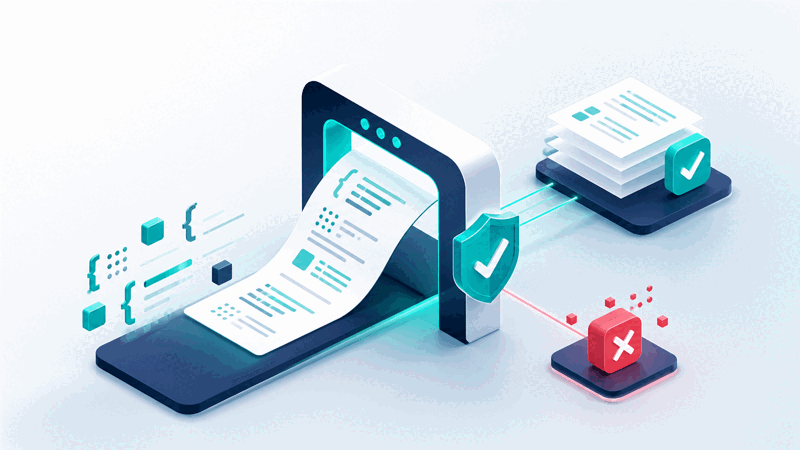
JSON must follow correct syntax to be valid, and invalid JSON, with errors like a missing bracket, comma, or quote, does not work, since it cannot be parsed or used correctly. Validating JSON checks whether it is valid, following the correct syntax, and flags any errors. A JSON validator does this, telling you whether your JSON is valid and helping you find errors.
The value of validating is catching errors before they cause problems. If you use invalid JSON, it will not work, leading to failures when something tries to parse or use it. Validating first lets you confirm the JSON is correct, or find and fix errors, so you use valid JSON. This avoids the problems that invalid JSON causes, making validation an important check.
Valid JSON differs from invalid JSON in following the correct syntax so it works. Valid JSON can be parsed and used correctly, while invalid JSON has errors that prevent this. A validator distinguishes the two, confirming valid JSON or flagging the errors in invalid JSON, so you know whether your JSON is correct and, if not, what to fix.
JSON validators are used by developers and anyone working with JSON who needs to ensure it is correct: checking JSON before using it, verifying edited or created JSON, or diagnosing why JSON is not working by finding errors. Because using invalid JSON causes problems and errors can be easy to make, validating JSON to confirm it is correct is a genuinely useful and important step.
Valid Versus Invalid JSON
| Aspect | Valid JSON | Invalid JSON |
|---|---|---|
| Syntax | Correct | Has errors |
| Works | Can be parsed and used | Does not work |
| Validator | Confirms valid | Flags errors |
| Ready to use | Yes | Fix errors first |
Who Uses a JSON Validator
Pro Tips for Valid JSON
Common JSON Validation Mistakes to Avoid
Related Tools You May Need Next
For working with JSON, our JSON Beautifier formats it, the JSON Viewer displays it, the JSON Editor edits it, and the JSON to XML tool converts it.
Frequently Asked Questions
How do I validate JSON?
Paste the JSON you want to validate into the input, the JSON you want to check is correct, and the tool checks whether it is valid, following correct JSON syntax, and looks for any errors. See whether the JSON is valid, or if it has errors, which are flagged so you know there is a problem. If the JSON is invalid, see the errors flagged, helping you find what is wrong, then fix any errors and validate again if needed, until the JSON is valid and ready to use. This lets you confirm your JSON is correct before using it, or find and fix errors, avoiding the problems that invalid JSON causes. So validating checks your JSON is correct, flagging errors so you can fix them, ensuring you use valid JSON that will work.
What does validating JSON mean and why does it matter?
Validating JSON means checking whether it is valid, that is, whether it follows the correct JSON syntax so that it will work. Invalid JSON, with errors like a missing bracket, comma, or quote, does not work, since it cannot be parsed or used correctly. So validating checks for such errors, telling you whether your JSON is valid and flagging any problems. This matters because using invalid JSON causes failures when something tries to parse or use it, so validating first lets you catch errors before they cause problems. So validation is an important check: it confirms your JSON is correct, or finds and helps you fix errors, so you use valid JSON. So validating JSON matters because it ensures the JSON will work, avoiding the problems that invalid JSON causes when you rely on it.
What is the difference between valid and invalid JSON?
Valid JSON follows the correct JSON syntax, so it can be parsed and used correctly and will work. Invalid JSON has errors, such as a missing bracket, comma, or quote, that prevent it from being parsed or used correctly, so it does not work. So the difference is correctness of syntax: valid JSON is correct and usable, while invalid JSON has errors that make it fail. A JSON validator distinguishes the two, confirming when JSON is valid or flagging the errors in invalid JSON, so you know whether your JSON is correct and, if not, what to fix. So valid JSON is ready to use, while invalid JSON needs its errors fixed first. So validating tells you which your JSON is, letting you confirm valid JSON or find and fix the errors in invalid JSON before relying on it.
Why should I validate JSON before using it?
You should validate JSON before using it because using invalid JSON causes problems: it does not work, leading to failures when something tries to parse or use it. Validating first lets you confirm the JSON is correct, or find and fix any errors, so you use valid JSON that will work. If you skip validation and the JSON turns out to be invalid, you encounter errors when relying on it, which you could have caught beforehand. So validating is a preventive check that catches errors early, before they cause problems in whatever uses the JSON. This is especially valuable after editing or creating JSON, where mistakes can be introduced. So validating before using JSON ensures it is correct, saving you from the failures and troubleshooting that invalid JSON causes, making it a worthwhile step whenever you are about to rely on JSON being correct.
How does the validator help me find errors?
The validator checks your JSON against correct syntax and flags any errors it finds, so if the JSON is invalid, you see the errors highlighted, helping you locate what is wrong. Rather than leaving you to find a problem in the JSON yourself, the validator points to the errors, showing where the JSON does not follow correct syntax. This helps you find and fix issues like a missing bracket, comma, or quote. So when your JSON is not working, validating it reveals the errors, guiding you to the problems so you can correct them. After fixing, you validate again to confirm the JSON is now valid, repeating until all errors are resolved. So the validator is a diagnostic aid: it not only tells you whether the JSON is valid but, when it is not, flags the errors so you can find and fix them, making it easier to correct invalid JSON than searching for problems unaided.
Is validating the same as beautifying JSON?
No, validating and beautifying JSON are different tasks. Validating checks whether the JSON is valid, that is, correct in syntax so it will work, flagging any errors. Beautifying formats JSON for readability, adding indentation and structure to make it clear and easy to read, but does not check whether it is valid. So a nicely beautified JSON is not necessarily valid, and validating does not make JSON readable. They serve different purposes: validating for correctness, beautifying for readability. So use validation when you need to confirm the JSON is correct and will work, and use a beautifier when you want to make the JSON readable. So do not confuse the two; validate to check correctness and beautify separately for readability, using each as needed, since a JSON can be readable but invalid, or valid but hard to read, and the two tools address these different aspects.
What should I do if my JSON is invalid?
If your JSON is invalid, you should fix the flagged errors so it becomes valid, then validate again to confirm. The validator flags the errors, helping you find what is wrong, such as a missing bracket, comma, or quote. So look at the flagged errors, correct them in your JSON, addressing each problem the validator identifies. After fixing, validate the JSON again, since fixing one error might reveal another or you might introduce a new one, and repeat this process until the validator confirms the JSON is valid. So the approach is to use the flagged errors to guide your fixes, correcting the invalid JSON, and revalidate until it is valid and ready to use. This ensures you end up with correct JSON that will work, having resolved all the errors, rather than using invalid JSON that fails. So fix the errors and revalidate, iterating until your JSON is valid.
Is the JSON validator free?
Yes, it is completely free with no account and no usage limit. You can validate as much JSON as you like, as often as you like, at no cost. It runs entirely in your browser on any device, so your JSON is processed locally and there is nothing to download or install, and you see whether your JSON is valid, with any errors flagged, when you validate it. Use it to check your JSON is correct before using it, verify edited or created JSON, and find errors in invalid JSON so you can fix them. Remember to validate before using JSON, address any flagged errors and revalidate until valid, and use a beautifier separately if you also want to make the JSON readable, since validating checks correctness rather than formatting.