UUID Generator
Generate unique identifiers (UUID / GUID), including v4 and v7, for your applications. No signup. Ideal for creating unique IDs for records, objects, and data.
Share on Social Media:
This UUID generator creates unique identifiers, UUIDs, also called GUIDs, including v4 and v7, directly in your browser. Generate the unique IDs you need. No account, no install, so you can create unique identifiers for your applications on any device in seconds.
How to Generate a UUID Step by Step
- Choose the version. Choose the UUID version you need, such as v4 or v7, depending on your requirement.
- Generate the UUID. The tool generates a UUID of the chosen version, a unique identifier for your use.
- Get the UUID. See the generated UUID, a unique identifier you can use in your application or data.
- Generate more if needed. Generate more UUIDs if you need several, getting as many unique identifiers as required.
- Use the UUIDs. Use the UUIDs as unique identifiers for records, objects, or data in your application.
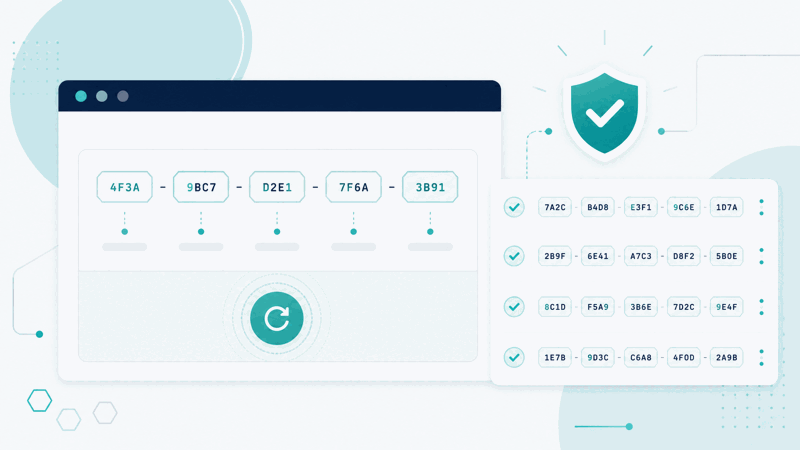
What UUIDs Are and Why They Are Used
A UUID, universally unique identifier, also called a GUID, is a long identifier designed to be unique, so it can identify something without clashing with other identifiers. UUIDs are widely used in software to give records, objects, or data a unique ID. A UUID generator creates these identifiers, so you can get unique IDs for your applications without having to devise them yourself.
The value is unique identifiers without coordination. Because UUIDs are designed to be unique, you can generate them independently and rely on them not clashing, which is useful for identifying things across systems, databases, or distributed applications without a central authority assigning IDs. So UUIDs give you unique identifiers you can create freely and use to identify records and objects reliably.
There are different versions, including v4 and v7. v4 UUIDs are based on randomness, giving a unique identifier with no inherent order. v7 UUIDs incorporate a time based element, so they are unique and also sortable by creation time, which can be useful where ordering by time matters. So the version you choose depends on whether you want purely random IDs or time ordered ones.
UUIDs are used by developers and anyone building applications that need unique identifiers: giving records, objects, or data a unique ID that will not clash. Because unique identifiers are fundamental in software, and generating them without coordination is valuable, a UUID generator that creates v4, v7, and other UUIDs is a handy tool for producing the unique IDs applications need.
UUID v4 Versus v7
| Aspect | UUID v4 | UUID v7 |
|---|---|---|
| Based on | Randomness | A time based element |
| Order | No inherent order | Sortable by creation time |
| Good for | General unique IDs | Time ordered unique IDs |
| Both | Designed to be unique | Designed to be unique |
Who Uses UUIDs

Pro Tips for Using UUIDs
Common UUID Mistakes to Avoid
Related Tools You May Need Next
For applications, our JSON Formatter helps with data, the Hash Generator creates hashes, and the Password Generator makes strong passwords.

Frequently Asked Questions
How do I generate a UUID?
Choose the UUID version you need, such as v4 or v7, depending on your requirement, and the tool generates a UUID of the chosen version, a unique identifier for your use. See the generated UUID, a unique identifier you can use in your application or data, generate more if you need several, and use the UUIDs as unique identifiers for records, objects, or data in your application. This gives you unique identifiers designed not to clash, which you can create independently and use to identify things reliably. So the generator produces the unique IDs your application needs, in the version you choose: v4 for general random unique identifiers, or v7 for unique identifiers that are also sortable by creation time. So you get unique IDs quickly for your records, objects, or data, choosing the version that fits your need, whether purely random or time ordered.
What are UUIDs and why are they used?
A UUID, universally unique identifier, also called a GUID, is a long identifier designed to be unique, so it can identify something without clashing with other identifiers. UUIDs are widely used in software to give records, objects, or data a unique ID. They are used because their design for uniqueness lets you generate them independently and rely on them not clashing, which is valuable for identifying things across systems, databases, or distributed applications without needing a central authority to assign IDs. So a UUID gives a unique identifier you can create freely and use to identify records and objects reliably. This is fundamental in software, where things often need unique IDs, and generating them without coordination is very useful, especially in distributed systems where multiple parts might create IDs independently. So UUIDs are used to provide unique identifiers for records, objects, and data, relied upon for their uniqueness, letting developers identify things reliably across systems without clashes, which is why a UUID generator that creates these identifiers is a handy tool for applications needing unique IDs.
What is the difference between UUID v4 and v7?
UUID v4 and v7 differ mainly in how they are generated and whether they carry ordering. v4 UUIDs are based on randomness, giving a unique identifier with no inherent order, so they are unique but not sortable in any meaningful sequence. v7 UUIDs incorporate a time based element, so they are unique and also sortable by creation time, meaning UUIDs generated later sort after earlier ones. So the key difference is that v4 provides purely random unique IDs with no order, while v7 provides unique IDs that also carry a time ordering, sortable by when they were created. This matters depending on your need: if you just need unique identifiers with no ordering requirement, v4 works well, while if you want unique IDs that can also be sorted by creation time, which can be useful for ordering records chronologically, v7 is the better choice. Both are designed to be unique, so both give reliable unique identifiers; the difference is the time ordering property of v7. So choose v4 for general random unique IDs and v7 when you also want your unique identifiers to be sortable by creation time.
Why are UUIDs unique?
UUIDs are designed to be unique through their generation method, which produces identifiers with an extremely low chance of clashing, so in practice they can be treated as unique. v4 UUIDs achieve this through randomness, using a large random space so that generating the same UUID twice is exceedingly unlikely. v7 UUIDs combine a time based element with additional data to ensure uniqueness while also carrying time ordering. Because of this design, you can generate UUIDs independently, even across different systems or at different times, and rely on them not clashing, without needing any central authority to coordinate or assign them. This is the key value of UUIDs: their design for uniqueness lets them serve as reliable identifiers that you can create freely and trust to be unique. So UUIDs are unique because they are generated in a way that makes clashes exceedingly improbable, allowing them to identify records, objects, and data reliably without central coordination. So their uniqueness comes from their generation design, whether random for v4 or time based plus additional data for v7, giving you identifiers you can depend on being unique for reliable identification in your applications and systems.
When should I use v7 over v4?
You should use v7 over v4 when you want your unique identifiers to be sortable by creation time, in addition to being unique. v7 UUIDs incorporate a time based element, so UUIDs generated later sort after earlier ones, giving a chronological ordering. This is useful when you want to order records or objects by when they were created using their identifiers, such as for time based sorting or when having identifiers that reflect creation order is beneficial. v4 UUIDs, being purely random, do not carry any such ordering, so they are unique but not sortable in a meaningful sequence. So if ordering by creation time matters for your use, v7 is the better choice, giving you both uniqueness and time ordering. If you just need unique identifiers with no ordering requirement, v4 works fine. So consider whether time ordering is valuable for your application: if it is, use v7 to get unique, time sortable identifiers; if not, v4 provides general unique IDs. So the decision comes down to whether you want the time ordering property that v7 provides in addition to uniqueness, choosing v7 when chronological sortability of your identifiers is useful for your records or data.
Can I generate multiple UUIDs at once?
Yes, you can generate as many UUIDs as you need, each a unique identifier. If you need several unique IDs, you can generate multiple, getting the number required for your records, objects, or data, with each UUID being a distinct unique identifier. Because UUIDs are designed to be unique, generating many still gives you distinct, non clashing identifiers for each thing you need to identify. So whether you need one UUID or many, you can generate the quantity required, using each as the unique ID for a record, object, or piece of data. This is useful when you are setting up multiple records or objects that each need their own unique identifier. So the generator lets you produce as many unique UUIDs as you need, each serving as a distinct identifier, so you can assign a unique ID to each of your items reliably. So yes, generating multiple UUIDs is straightforward, giving you as many unique identifiers as you require, each distinct and suitable for identifying a separate record, object, or piece of data in your application without clashes between them.
What is a GUID?
GUID, globally unique identifier, is another name for a UUID; the two terms refer to the same kind of identifier, a long value designed to be unique so it can identify something without clashing. GUID is a term often used in some contexts and platforms, while UUID is the more general term, but they mean essentially the same thing: a universally or globally unique identifier used to give records, objects, or data a unique ID. So when you see GUID, it refers to the same concept as UUID, an identifier designed for uniqueness that you can generate and use to identify things reliably without clashes. This UUID generator creates these identifiers, which you can call UUIDs or GUIDs interchangeably. So a GUID is simply a UUID by another name, serving the same purpose of providing unique identifiers for applications, whether for records, objects, or data. So there is no meaningful difference between a GUID and a UUID for practical purposes; both are unique identifiers, and this tool generates them, so you can use the term your context prefers while getting the same kind of reliably unique identifier for your identification needs.
Is the UUID generator free?
Yes, it is completely free with no account and no usage limit. You can generate as many UUIDs as you like, as often as you like, at no cost. It runs in your browser on any device, so there is nothing to download or install, and your UUID is ready once generated in the version you choose. Use it to create unique identifiers, UUIDs or GUIDs, for your applications, giving records, objects, or data a unique ID that will not clash. Choose v4 for general random unique identifiers, or v7 for unique identifiers that are also sortable by creation time, depending on your need. Generate as many as you require, each a distinct unique ID, and use them as the identifiers for the things they identify. So the generator provides the unique IDs your application needs quickly and freely, in the version that fits your requirement, for reliable identification of records, objects, and data without clashes.